Character AI Chat Error: What Causes It and How to Fix It
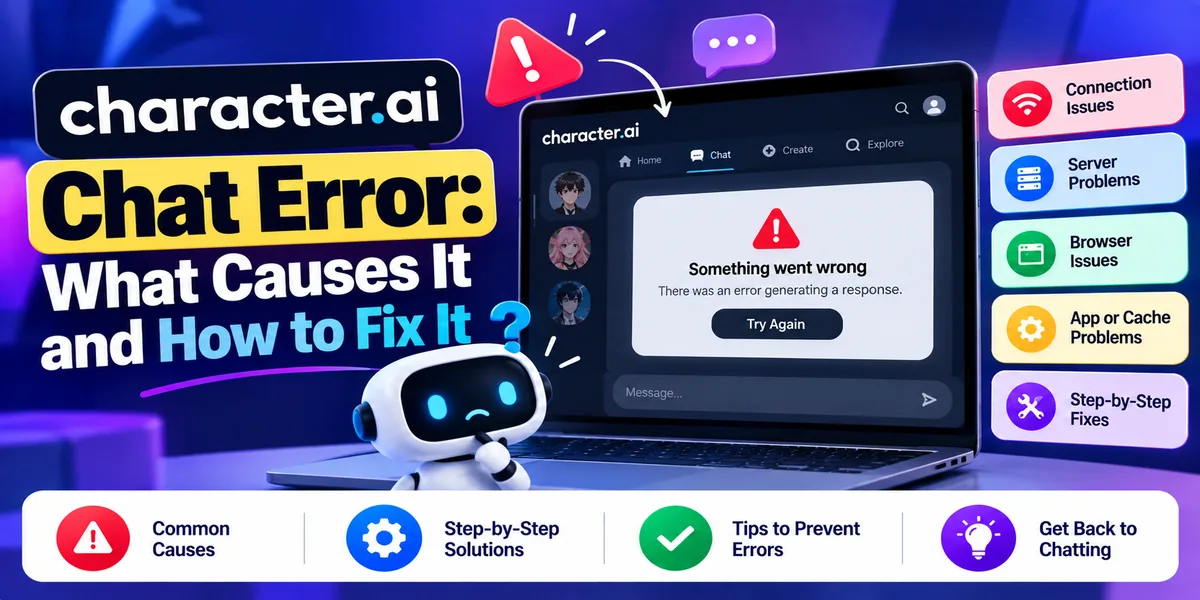
A Character AI chat error usually means one of three different things, and the fix depends entirely on which. Either the servers are struggling, in which case waiting is the only remedy; or the content filter blocked the reply, which looks like an error but is not one; or your account has been caught by age verification, which has become the most common cause in 2026. Work out which you are looking at before trying anything else.
Check whether it is an outage first. Use downdetector.com/status/characterai or downforeveryoneorjustme.com. Do not bother with status.character.ai — as of September 2026 it no longer works as a status page, redirecting instead to Atlassian’s marketing site, while the underlying status instance reads as inactive. A lot of troubleshooting advice still sends people there.
How to tell the three causes apart
This is the diagnostic step that saves the most wasted effort.
It is probably a filter block if: the character starts typing and the reply vanishes before it finishes, or your own message will not send at all. Nothing is broken. Character.AI’s moderation is doing its job.
It is probably an outage if: it fails on every character, across both app and browser, and other people are reporting it. Errors in the 500 range point this way too.
It is probably age verification if: the trouble began after you entered a date of birth, you cannot access chat while the rest of the app works, or you see wording about eligibility. This is the dominant cause in 2026 and almost no troubleshooting guide covers it.
The filter block that looks like an error
Character.AI’s content moderation has an official internal name — the company itself calls the filter Bob — and it works on both sides of a conversation.
Input blocking stops your message before it posts. Output blocking lets the reply generate and then withholds it. That second one produces the behavior people report as a bug: the typing indicator appears, text may briefly show, then it disappears.
It is not a bug. There is no error to fix, and no setting to change: Character.AI states its position on content filters is final, and that requesting their removal will result in a ban.
What to do: edit the message that triggered it and rephrase. Use the regenerate or swipe option for an alternative reply. Move the scene forward more gradually — abrupt shifts trigger blocks more often than gradual ones. If a character consistently produces blocks, the character definition itself may be the problem rather than your messages.
Character.AI did improve the filter in its August 2025 update, specifically to better distinguish adventure roleplay from genuinely prohibited content, reducing false positives. If you have not used the platform for a while, it is less trigger-happy than you remember.
The 2026 cause nobody covers: age verification lockouts
If chat stopped working sometime in the last year, this is the most likely explanation, and it is not an error at all.
Since late November 2025, users identified as under 18 cannot use open-ended chat. Character.AI estimates age from account signals and an in-house model. Those flagged as under 18 who want adult access verify through a third-party provider, Persona — a selfie first, with government ID requested only if the selfie is inconclusive. Persona holds ID documents for about a week and deletes biometric data within seven days; Character.AI states it does not handle or store the documents itself.
Users confirmed as under 18 are placed in Reading Mode. Saved chats remain viewable, and characters, scenes, and videos can still be created, but conversation is unavailable.
This caused a mass incident on 12 August 2026, when thousands of users were locked out across the US after entering their date of birth.
What to do:
- To verify: Settings → Advanced → Verify Age, on mobile or web.
- If you have been wrongly categorized as under 18, raise a ticket at support.character.ai for review.
- If you were under 18 and have since turned 18, contact support and ask them to reset your verification attempts.
If selfie or ID verification keeps failing, Character.AI publishes specific guidance: look natural, with no filters, makeup effects, or drawn-on features; hold the camera at eye level; light your face from the front rather than behind; keep only one face in frame; remove masks and sunglasses; hold steady. For an ID, avoid glare and use a plain background. Use whichever of your devices has the better camera, then contact support if it still fails.
Server errors and outages
Character.AI has had several significant outages in 2026: 12 March, 15 June — over 3,000 Downdetector reports by late morning Pacific time, mostly app-related — and 12 August, the age-verification incident above.
Symptoms are 500, 502, 503, or 504 errors, waiting-room screens, “servers are busy” messages, or every character failing at once.
What to do: there is no user-side fix for a server fault. Check a status tool, wait, and try again. Off-peak hours help. Character.AI’s paid c.ai+ tier officially includes skipping waiting rooms and faster responses, so if you hit capacity limits constantly that is the intended remedy — priced at around $9.99 a month, though note this figure comes from secondary sources rather than Character.AI’s own checkout.
Errors you can actually fix
Stuck loading, white screen, or a chat that will not open
Usually local. Work through it in this order:
- Hard refresh the page.
- Clear cookies and site data for character.ai specifically rather than wiping everything.
- Open it in a private or incognito window — this tells you immediately whether an extension is the cause.
- Disable browser extensions, particularly ad blockers and script blockers.
- Try a different browser.
- Turn off your VPN and test again. VPN traffic is sometimes rate-limited or blocked.
- Test on a different network. School and workplace WiFi commonly filter these services.
Login loops and missing emails
Character.AI has official help articles covering this — its login process was updated, and there is dedicated guidance for verification and reset emails not arriving.
Clear cookies, then sign in using the same method you originally signed up with. Mixing Google sign-in with email sign-in creates separate accounts, which is a frequent cause of “my chats are gone.” Check spam and promotions folders for verification emails, and wait a few minutes before requesting another, since rapid repeats can be throttled.
A character is unavailable or shows “Restricted Access”
Since August 2025, characters that violate the guidelines are labeled Restricted Access and cannot be used. This replaced silent removal, so at least the reason is visible now.
There is nothing to fix from a user’s side — use a different character. If you created it, Character.AI has since September 2026 provided moderation notices with a stated reason and an appeals route.
App crashes or freezes on mobile
Force close and reopen. Update the app. Clear the app’s cache through your device settings. On Android, check whether battery optimization is killing it in the background. Toggling airplane mode on and off resets the network connection.
Missing chat history or a character forgetting things
Log out and back in — sync failures after an update are a common cause, and history usually returns.
But some of this is design rather than fault. Chat Memories are capped at 400 characters. Memory pins are limited to 15 on the free tier and 30 on the paid lite tier. A character forgetting something from fifty messages ago is the system working as built, not a bug to troubleshoot.
Paid subscription not recognized
Usually a billing or entitlement sync issue. Confirm the payment went through, check you are signed into the account that holds the subscription, then contact support. Character.AI maintains a help article on this specifically.
Quick reference
What you seeLikely causeFixReply types then vanishesOutput filter blockRephrase; regenerateMessage will not sendInput filter blockRephrase before sendingGeneric “something went wrong”Server loadRetry, regenerate, or wait500 / 502 / 503 / 504Server faultWait; check a status toolWaiting room or “servers busy”CapacityOff-peak, or paid tierLocked out after entering birthdayAge assuranceVerify age; contact supportChat gone, rest of app worksReading ModeVerify ageWhite screen or endless loadingCache, extension, networkClear site data; incognitoLogin loopSession or sign-in methodClear cookies; use original method“Restricted Access” on a characterGuideline violationUse another; appeal if yoursApp crashingDevice-sideUpdate, clear cache, check battery settingsSubscription not workingBilling syncVerify payment; contact support
How to check whether Character AI is down
Working options as of September 2026:
- Downdetector — downdetector.com/status/characterai
- Down For Everyone Or Just Me — downforeveryoneorjustme.com/character-ai
- IsDown and StatusGator
- Character.AI’s official account on X
- The official Discord, and the r/CharacterAI subreddit, which often flags problems before the tools do
Not working: status.character.ai. It redirects to Atlassian’s Statuspage marketing site, and the associated status instance reads as inactive. This appears to be a recent lapse — a working status page was referenced as late as June 2026 — but it does not function today, despite most troubleshooting articles still recommending it.
Frequently asked questions
Why is Character AI not responding? Three common reasons: the content filter blocked the reply, which looks like a failure but is not; the servers are overloaded; or your account is limited by age verification. If the reply starts typing and disappears, it is the filter. If every character fails, check a status tool.
Is Character AI down right now? Check downdetector.com/status/characterai or downforeveryoneorjustme.com/character-ai. Do not use status.character.ai — it is not a functioning status page as of September 2026.
Why does Character AI keep saying chat error? Most often server load, in which case retrying or regenerating the message works. If it happens only on particular messages or characters, it is moderation rather than a fault.
Why did the reply start typing and then disappear? That is output-side filtering. The reply was generated, then withheld. Edit the message that prompted it, rephrase, or regenerate.
Can I turn off the Character AI filter? No. Character.AI states its position is final and that asking for filter removal results in a ban. There is no setting, and third-party claims to the contrary do not work.
Why can’t I chat on Character AI anymore? Most likely you have been placed in Reading Mode after age assurance identified your account as under 18. Saved chats stay viewable and you can still create content, but conversation is unavailable. Verify your age through Settings → Advanced → Verify Age, or contact support if you have been wrongly categorized.
How do I fix age verification failing? Use a natural appearance with no filters or makeup effects, hold the camera at eye level, light your face from the front, keep one face in frame, and remove masks or glasses. For ID scans, avoid glare and use a plain background. Use your best camera, then raise a support ticket if it still fails.
Will clearing my cache delete my Character AI chats? No. Chats are stored on Character.AI’s servers, not in your browser. Clearing site data signs you out but does not touch your conversations.
Does a VPN cause Character AI errors? It can. VPN traffic is sometimes rate-limited or blocked. If you are getting persistent errors, turn the VPN off and test.
Why is my character forgetting our conversation? Partly by design. Chat Memories are capped at 400 characters and memory pins at 15 on the free tier, 30 on paid lite. If history has vanished entirely rather than degraded, log out and back in — that is usually a sync fault.
Get a free marketing audit
See exactly where your SEO, ads and website are leaving money on the table.