
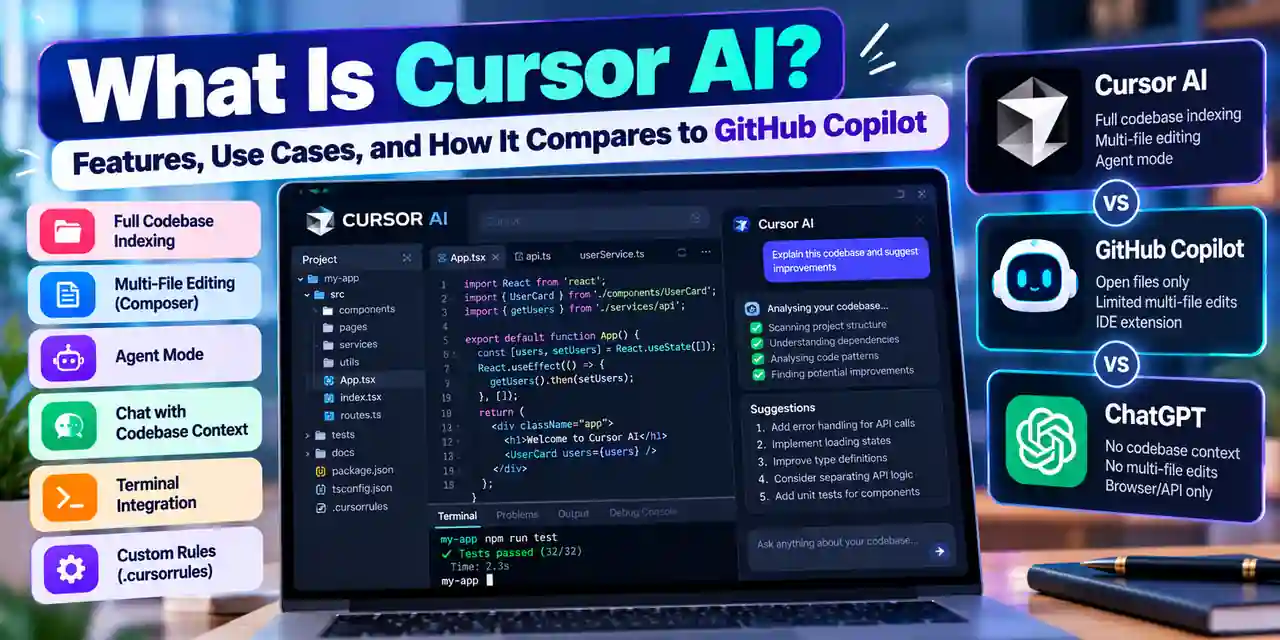
What Is Cursor AI?
Cursor AI is an AI-powered code editor developed by Anysphere. Released in 2023 and serving over 40,000 companies by early 2026, it provides AI-assisted coding through a standalone application that runs on Windows, macOS, and Linux. Its interface closely mirrors Visual Studio Code, which means developers familiar with that environment can transition with minimal friction.
What distinguishes Cursor from most AI coding tools is its approach to context. Rather than reading only the file currently open in the editor, Cursor indexes the entire codebase using custom embedding models. When you ask it to fix a bug or implement a feature, it draws on the full project structure — imports, configurations, related modules, and patterns used elsewhere — rather than working in isolation.
Quick answer: Cursor AI is a standalone AI code editor that indexes your full codebase. Unlike file-level tools, it understands how different parts of a project relate to each other, making it particularly effective on larger codebases.
Key Features of Cursor AI
Full Codebase Indexing
When you open a project in Cursor, it creates embeddings of your entire repository. This means questions and requests are answered with awareness of the whole project — not just the visible file. For a project with 50 or more files, this repo-wide context is often the difference between a suggestion that fits and one that contradicts existing patterns.
Composer: Multi-File Editing
Composer is Cursor's agentic editing mode. Instead of modifying a single file snippet, Composer can plan changes across multiple files, handle boilerplate, create new components that follow your project's conventions, and flag items that require human decision. It operates on a task level rather than a line-level.
Agent Mode
Agent Mode allows Cursor to execute multi-step tasks autonomously, including running terminal commands, applying file changes, and running tests to verify its own work. Before execution, it presents a plan for review. For complex refactoring or feature additions, this reduces the number of manual back-and-forth iterations significantly.
Chat with Codebase Context
The chat panel in Cursor allows natural language queries about the codebase — asking what a function does, why a particular pattern is used, or how a module connects to the rest of the project. Using @codebase directs the query across the full repository rather than the open file.
Terminal Integration
Cursor agents can execute shell commands with safety checks, enabling automated workflows that combine code editing with build, test, and deployment steps within a single environment.
Custom Rules (.cursorrules)
Teams can define a .cursorrules file in the project root that sets consistent coding standards, naming conventions, and behavioural guidelines for AI suggestions across the team. This is particularly useful for enforcing style guides or framework-specific patterns without repeated manual correction.
Cursor AI vs GitHub Copilot vs ChatGPT
FeatureCursor AIGitHub CopilotChatGPTCodebase indexingFull repoOpen files onlyNoneMulti-file editsYes (Composer)LimitedNoAgent / autonomous modeYesLimitedNoRuns inside editorYes (standalone app)Yes (extension)Browser/API onlyFree tierYes (2,000 completions)YesYesPaid plan$20/month (Pro)$10/month$20/month (Plus)Real-World Use Cases
Building New Features
Describe the feature you need in Composer, point it to an existing file that uses a similar pattern, and Cursor will draft the necessary files and logic. It identifies where changes need to be made, handles imports and boilerplate, and surfaces questions where human decisions are required.
Debugging Complex Errors
Paste an error message into the chat. Cursor traces the error through the codebase, identifies the source and any contributing factors, and suggests a fix. Agent Mode can apply the fix and run the test suite to verify it works — reducing the debugging loop to a single prompt in straightforward cases.
Refactoring Legacy Code
Before modifying complex or poorly documented code, developers can ask Cursor to explain a function's logic, its callers, and its dependencies. This reduces the risk of breaking changes during refactoring — particularly in codebases where documentation has lagged behind the implementation.
Writing Tests
Point Cursor at a function and request a test suite. It identifies the framework you are already using — Jest, Pytest, Vitest, or others — and generates tests that match the existing structure. This is particularly useful for adding test coverage to legacy code that was built without it.
Generating Documentation
Cursor can generate inline comments, docstrings, and README sections based on actual code behaviour rather than producing generic templates. The codebase awareness means it can describe how a module fits into the broader project, not just what an individual function does in isolation.
Getting Started with Cursor AI
Installation
Download Cursor from cursor.sh. It requires macOS 12+, Windows 10+, or a recent Linux distribution. Installation takes under five minutes, and on first launch you can import VS Code settings — extensions, themes, and keybindings — to maintain your existing workflow.
System Requirements
Minimum 8 GB RAM, though 16 GB is recommended for comfortable use on large projects. An internet connection is required; AI processing runs on Anysphere's servers, not locally.
Connecting AI Models
Cursor supports several underlying models including GPT-4o, Claude 3.7 Sonnet, and Anysphere's proprietary models. You connect your preferred provider after installation.
Best Practices
- Use @codebase in chat to ensure full-repository context rather than file-level answers
- Write a .cursorrules file early to establish consistent conventions across the team
- Use Cmd+K for small, localised rewrites; Composer for anything spanning multiple files
- Write specific, detailed prompts — vague requests produce vague output
- Treat all AI-generated code as a first draft requiring review before merging
Pricing
PlanPriceKey FeaturesHobbyFree2,000 code completions/month, 50 slow premium model requestsPro$20/monthUnlimited completions, 500 fast premium requests/month, priority accessBusiness$40/user/monthPrivacy mode, SSO, admin controls, no code stored or used for trainingLimitations to Know
- Data privacy — code is sent to Anysphere's servers. Teams handling proprietary or regulated code should use the Business plan, which includes privacy mode and prohibits training on your code.
- Agent Mode requires oversight — if your prompt is vague, Agent Mode can execute a sequence of steps that build on each incorrect assumption. Review the plan before approving execution.
- Complex business logic — Cursor performs well on patterns found in its training data but can struggle with deeply domain-specific architecture it has not seen before.
- VS Code extension compatibility — as a standalone application rather than an extension, some VS Code plugins may not transfer cleanly.
- Free tier limits — 2,000 completions deplete within one to two weeks on active projects, which limits meaningful evaluation without committing to the Pro plan.
Frequently Asked Questions
What programming languages does Cursor AI support?
Cursor supports Python, JavaScript, TypeScript, Go, Rust, Java, C++, Ruby, and most other mainstream languages. Python and TypeScript typically yield the most accurate suggestions due to training data volume.
Is Cursor AI better than GitHub Copilot for coding?
For projects with more than a few files, Cursor's full codebase indexing gives it a meaningful advantage. GitHub Copilot works only on open files, which limits its usefulness for tasks that span multiple modules. For simple autocomplete on isolated files, the difference is smaller.
Does Cursor AI store my code?
On the free and Pro plans, code is sent to Anysphere's servers for processing and may be used to improve models. The Business plan ($40/user/month) enables privacy mode, which prevents code storage and training use. Enterprises with proprietary code should use the Business plan.
Can beginners use Cursor AI?
Yes, though it provides the most value to developers with some existing coding knowledge who can evaluate the quality of its suggestions. Complete beginners may find it difficult to assess whether the code Cursor generates is correct, which makes reviewing its output harder.
Is Cursor AI free?
Yes — the Hobby plan is free and includes 2,000 code completions and 50 slow premium model requests per month. The Pro plan at $20/month provides unlimited completions and faster model access. The Business plan at $40/user/month adds privacy mode and enterprise controls.
Get a free marketing audit
See exactly where your SEO, ads and website are leaving money on the table.